You can simply duplicate this knowledge base template or choose any other templates here, or you can create from scratch in your Notion page with the steps below.
Step 1: Create a new subpage
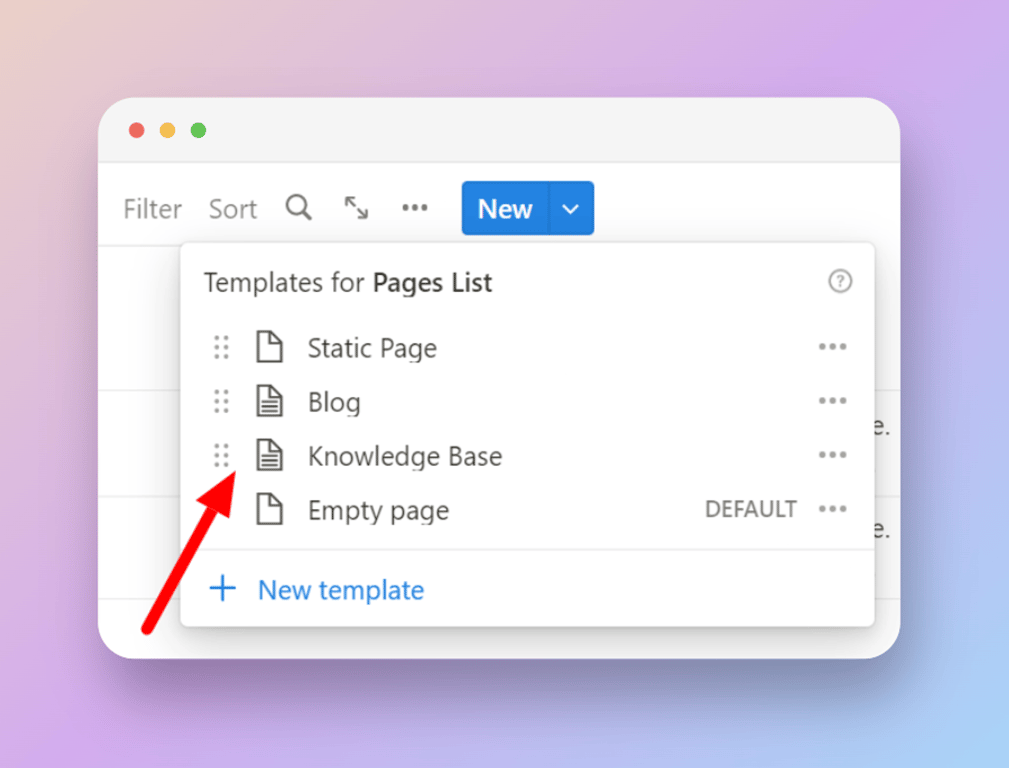
Click “New” in the top right corner of the existing Notion database and choose “Knowledge base” from the dropdown.
- Once a new page is formed, add your page title, slug, and other metadata.
- Go to the page and start filling up your knowledge base.
Step 2: Publish
- Fill all your categories and sub-categories within your knowledge base
- Go to Bullet’s dashboard and publish your main website
- Once your knowledge base is published, you can access its URL based on the slug you gave on the Notion database. For ex, if your knowledge base slug were ‘/help’, then you can access your knowledge base content in a URL like this: https://yourwebsite.com/help
 Made with Bullet